Tangle
Stereo wavefolder & saturator
Tangle adds harmonics by saturating and folding the input signal. The left and right channels shape it slightly differently and feed into each other.
VCV Rack 2 · 10 HP · Free
Quick start
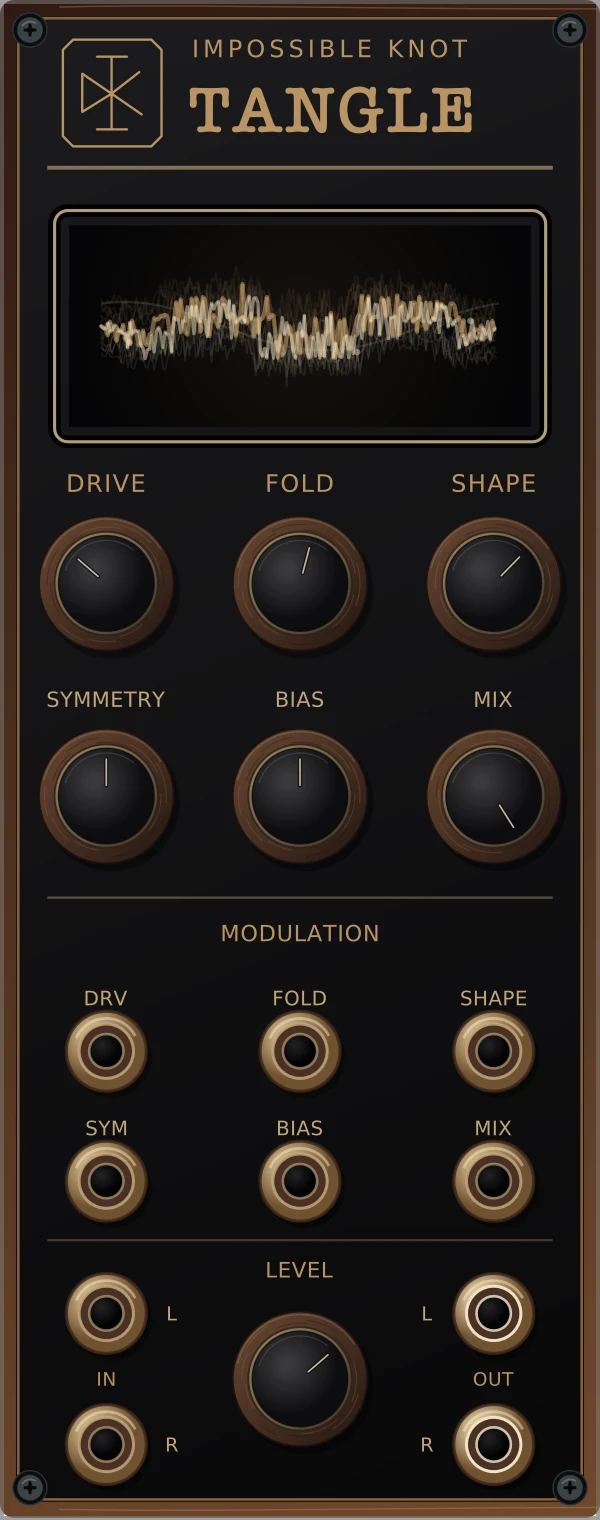
Lower your listening level. Patch a sine wave into IN L and OUT L/R to your mixer. Start with FOLD at zero, SHAPE halfway, SYMMETRY and BIAS centred, and MIX fully wet. Bring up DRIVE, then FOLD. Use LEVEL to adjust the output.
Controls
- DRIVE
- Input gain, 0–30 dB. Pushes the signal harder into the distortion.
- FOLD / SHAPE
- FOLD sets the folding amount; SHAPE changes its character. FOLD at zero still has saturation—it isn’t bypass.
- SYMMETRY / BIAS
- SYMMETRY changes the balance between positive and negative halves. BIAS offsets the signal before shaping, from −5 to +5 V.
- MIX / LEVEL
- MIX blends dry and processed audio. LEVEL sets final gain (−24 to +12 dB), including the dry signal. It doesn’t go all the way to mute.
Patching
One connected audio input feeds both sides. Connect both for stereo. Audio and CV support up to 16 channels. The sides have slightly different shaping and feed into each other as FOLD and SHAPE increase.
The six CV inputs add to their knob settings. There are no amount knobs, so use an external attenuator for smaller changes. Per volt: DRV adds 3 dB; FOLD, SHAPE and MIX add 10%; SYM adds 0.2; BIAS adds 1 V. Values stay within each control’s range.
Tangle can produce sound with no input, from bias and internal feedback. Use your mixer or a VCA if you need silence.
The display
The curves use the audio’s shaping function. The output level controls their brightness, so they dim when it’s quiet. They’re not an oscilloscope.
Installation
Tangle is free on the VCV Library, as part of the Impossible Knot plugin. Sign in to your VCV account and click Add on its Library page.
In Rack, sign in to the same account through the Library menu, choose Update all, and restart when the download finishes. Right-click an empty space in your rack and search for Tangle. Use Rack 2.4 or later.
Already have a .vcvplugin file?
In Rack, choose Help → Open user folder, then close Rack. Put the file in the plugins folder matching your Rack build: plugins-mac-arm64, plugins-mac-x64, plugins-win-x64 or plugins-lin-x64. Don’t unzip it. Restart Rack and search for Tangle.
Use Rack 2.4 or later. See Rack’s installation notes if you get stuck.
Tangle 2.0.13 · Closed-source freeware. Free to use in your music, including commercial releases. Questions? hello@impossible-knot.com